
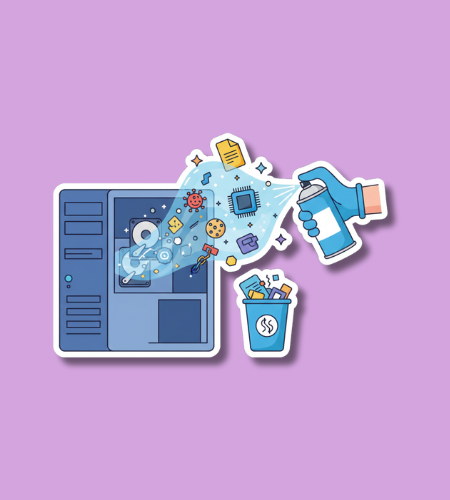
National Clean Out Your Computer Day is typically observed on the second Monday of February. In 2026, it falls on February 9. This day serves as a dedicated reminder for technology users to declutter their digital workspaces, improve system performance, and enhance cybersecurity through routine maintenance.
Table of Contents
History of National Clean Out Your Computer Day
The Institute for Business Technology established this holiday in 2000 to encourage professionals and home users to perform “digital housekeeping.” As personal computers became essential tools for both work and recreation, the creators recognized that internal clutter—such as temporary files, duplicate documents, and unused software—often led to sluggish performance and hardware instability. By setting a specific date in mid-February, the organizers aimed to provide a structured time for users to address these issues before they resulted in system failures.
Over the last two decades, the scope of the day has expanded to include mobile devices and cloud storage management. While early observances focused heavily on physical tasks like defragmenting hard drives and dusting towers, modern participation emphasizes data privacy and security. The growth of high-speed internet and massive file storage has made it easier for digital clutter to accumulate unnoticed, making the annual reminder more relevant than ever for maintaining efficient technology.
Why is National Clean Out Your Computer Day important?
Regular digital maintenance directly impacts the lifespan and speed of hardware. When a computer’s storage reaches its capacity, the operating system struggles to find space for temporary cache files, leading to frequent crashes and slow response times. Removing unnecessary programs also frees up RAM and processing power that would otherwise be wasted on background tasks. Beyond performance, a clean computer is a more secure one, as deleting old accounts and files reduces the amount of personal data available in the event of a security breach.
The day also promotes mental clarity and professional productivity. Sifting through hundreds of poorly named files or a chaotic desktop can cause significant stress and waste valuable time. Organizing folders and clearing out bloated email inboxes allows users to find what they need quickly and focus on their current tasks without distraction. It encourages a proactive approach to technology management, shifting the focus from reactive repairs to preventative care.
- Removing junk files prevents hard drives from becoming overloaded.
- Uninstalling old software closes potential security vulnerabilities in the system.
- Organized file systems save time during the workday.
- Deleting duplicate photos and videos reclaims significant storage space.
- Physical cleaning prevents overheating caused by dust in the cooling fans.
How to Celebrate National Clean Out Your Computer Day
Begin the observation by backing up all essential data to an external drive or a secure cloud service. Once your information is safe, go through your downloads folder and delete setup files or temporary documents that are no longer needed. Use built-in system tools like Disk Cleanup or Storage Sense to identify large files and system cache that can be safely removed. Emptying the recycle bin is the final digital step to ensure those files are truly gone from the storage drive.
Take time to address your physical hardware as well as your software. Use a can of compressed air to blow dust out of the keyboard and the ventilation ports on your computer case or laptop. A microfiber cloth and a small amount of screen cleaner can remove smudges and fingerprints from the display. Finally, review your browser extensions and startup programs to ensure that only the most necessary applications are running when you turn on your device.
- Uninstall any applications or programs you have not opened in six months.
- Wipe down your monitor and keyboard with a specialized electronic cleaner.
- Sort your desktop icons into categorized folders for a cleaner look.
- Clear your browser’s cache and cookies to improve loading speeds.
- Unsubscribe from newsletters and marketing emails that clutter your inbox.
National Clean Out Your Computer Day Dates Table
| Year | Date | Day |
|---|---|---|
| 2026 | February 9 | Monday |
| 2027 | February 8 | Monday |
| 2028 | February 14 | Monday |
| 2029 | February 12 | Monday |
| 2030 | February 11 | Monday |
Subscribe to our newsletter and never miss a holiday again!