
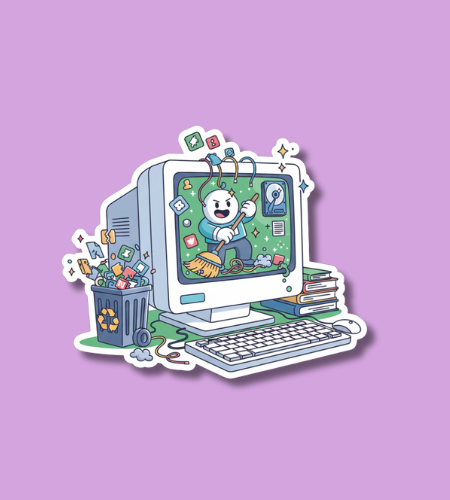
National Clean Up Your Computer Month is observed throughout the month of January. This month-long event encourages users to improve their digital health by deleting old files, updating software, and physically cleaning their hardware. As the new year begins, this observance serves as a dedicated time to reorganize digital workspaces to ensure devices run efficiently and remain secure throughout the rest of the year.
Table of Contents
History of National Clean Up Your Computer Month
The origins of this observance can be traced back to the early 2000s as personal computers became essential tools for both work and home life. With the rapid increase in digital storage capacity, users began accumulating vast amounts of data that often went unorganized, leading to slower system performance. Technology advocates and IT professionals recognized a need for a designated period to educate the public on basic maintenance tasks. They selected January because it aligns with the seasonal trend of “spring cleaning” and the setting of new resolutions for productivity.
Over the last two decades, the focus of the month has shifted from simply managing physical floppy disks and early hard drives to modern digital hygiene. As cyber threats evolved, the holiday expanded to emphasize the importance of software patches, password management, and cloud storage organization. Today, it is recognized by various tech organizations and security firms as a critical time to address the “digital clutter” that can lead to data breaches or hardware failure. It has transitioned from a niche tech suggestion to a mainstream habit for anyone using a smartphone, tablet, or laptop.
Why is National Clean Up Your Computer Month important?
Regular digital maintenance is vital for maintaining the longevity and speed of electronic devices. Over time, computers accumulate temporary files, cached data, and unused applications that consume system resources and slow down processing speeds. By clearing out this unnecessary data, users can significantly improve their device’s boot times and overall responsiveness. Furthermore, a clean computer reduces the risk of overheating, as physical dust buildup in fans and vents can lead to permanent hardware damage if left unaddressed.
This month is also crucial for enhancing personal and professional cybersecurity. Outdated software often contains vulnerabilities that hackers can exploit to gain access to private information. Dedicating time in January to run updates and review security settings ensures that your defenses are current. Additionally, organizing files makes it easier to back up important documents, protecting against data loss in the event of a system crash. A structured digital environment also reduces mental stress, allowing for better focus and increased efficiency during daily tasks.
- It prevents system slowdowns caused by accumulated temporary files and bloatware.
- The holiday encourages the physical removal of dust to prevent hardware overheating.
- Regular cleaning makes it easier to identify and remove potential malware or viruses.
- It ensures that all software is updated with the latest security patches.
- Organizing digital files improves productivity by reducing the time spent searching for data.
How to Celebrate National Clean Up Your Computer Month
The best way to observe this month is to start with a systematic review of your files and applications. Begin by uninstalling programs that you haven’t used in the past six months to free up storage space and reduce background processes. Next, tackle your “Downloads” folder and desktop, moving essential files into categorized folders and deleting the rest. It is also an ideal time to empty the trash bin and clear your web browser’s cache and cookies. Once the internal files are managed, perform a comprehensive backup of your most important data to an external hard drive or a secure cloud service.
Physical maintenance is equally important during this month-long event. Use a can of compressed air to blow out dust from the keyboard, ports, and internal fans of your laptop or desktop tower. Wipe down your screen with a microfiber cloth and a small amount of screen-safe cleaner to remove fingerprints and grime. Finally, take a few minutes to audit your passwords and enable two-factor authentication on your most sensitive accounts. These combined efforts will result in a machine that not only looks new but also performs with the speed and reliability needed for the year ahead.
- Uninstall all applications and software programs that are no longer in use.
- Organize your desktop by moving loose files into specifically named subfolders.
- Clear your browser history and cache to improve internet surfing speeds.
- Use compressed air to clean out dust from the computer’s cooling fans and vents.
- Run a full antivirus scan to ensure your system is free of hidden threats.
National Clean Up Your Computer Month Dates Table
| Year | Date | Day |
|---|---|---|
| 2026 | January 1 | Thursday |
| 2027 | January 1 | Friday |
| 2028 | January 1 | Saturday |
| 2029 | January 1 | Monday |
| 2030 | January 1 | Tuesday |
Subscribe to our newsletter and never miss a holiday again!